

Choosing the right reCAPTCHA version can feel confusing. Should you use the classic checkbox, go fully invisible, or use score-based v3 with custom thresholds?
Each option offers a different balance between spam protection, user experience, and conversion rates. Making the wrong choice can either let too much spam through or frustrate real visitors and hurt your form completions.
Here’s a straightforward comparison of reCAPTCHA v2 Checkbox, Invisible v2, and v3 Thresholds, and when to use each one on your WordPress site.
Quick Comparison Table
| Feature | v2 Checkbox | Invisible v2 | v3 Thresholds (Score-based) |
|---|---|---|---|
| Visibility to User | Visible checkbox (“I’m not a robot”) | Almost invisible (small badge) | Completely invisible |
| User Friction | Medium-High | Low | Very Low |
| Spam Protection | Good | Good | Very Good (if tuned properly) |
| Conversion Impact | Can reduce completions | Better than checkbox | Best potential lift |
| Best For | Simple protection, high certainty | Balanced forms | High-traffic sites, advanced users |
| Ease of Setup | Easiest | Easy | Requires tuning |
| Hizzle CAPTCHA Version | Free | Pro | Pro |
1. reCAPTCHA v2 Checkbox
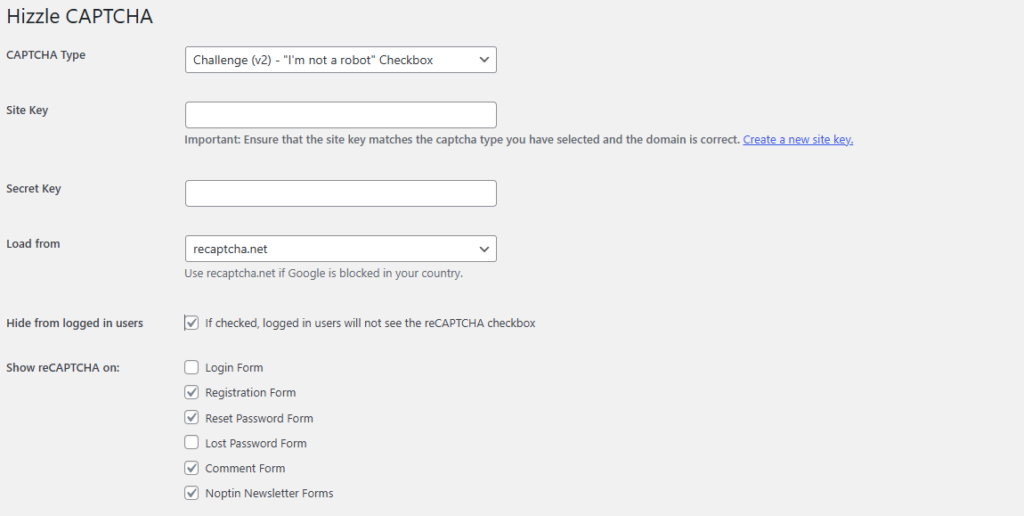
This is the most familiar version: users see a checkbox and sometimes have to solve a puzzle.
Pros:
- Simple and well-understood by users
- Provides clear visual confirmation of security
- Easy to set up and manage
Cons:
- Adds noticeable friction → can lower conversion rates
- Some users find it annoying, especially on mobile
- Bots have become better at bypassing it
Best for:
- Low-traffic sites
- Forms where you want maximum certainty
- Beginners who want the free option
Hizzle CAPTCHA includes the v2 Checkbox completely free.
2. Invisible v2
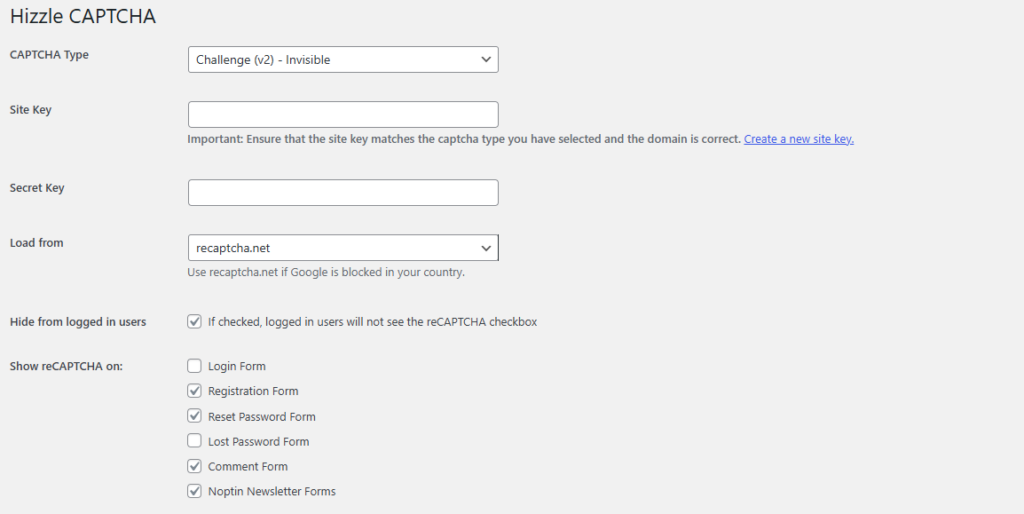
This version hides the checkbox for most users and only shows a challenge when risk is detected.
Pros:
- Much less friction than the visible checkbox
- Still offers good bot protection
- Easier on mobile users
Cons:
- Slightly more visible than v3 (small badge may appear)
- Less intelligent than score-based v3
Best for:
- Contact forms and moderate-traffic sites
- When you want better UX than the checkbox but don’t want to tune thresholds
Available in the Pro version of Hizzle CAPTCHA.
3. reCAPTCHA v3 Thresholds
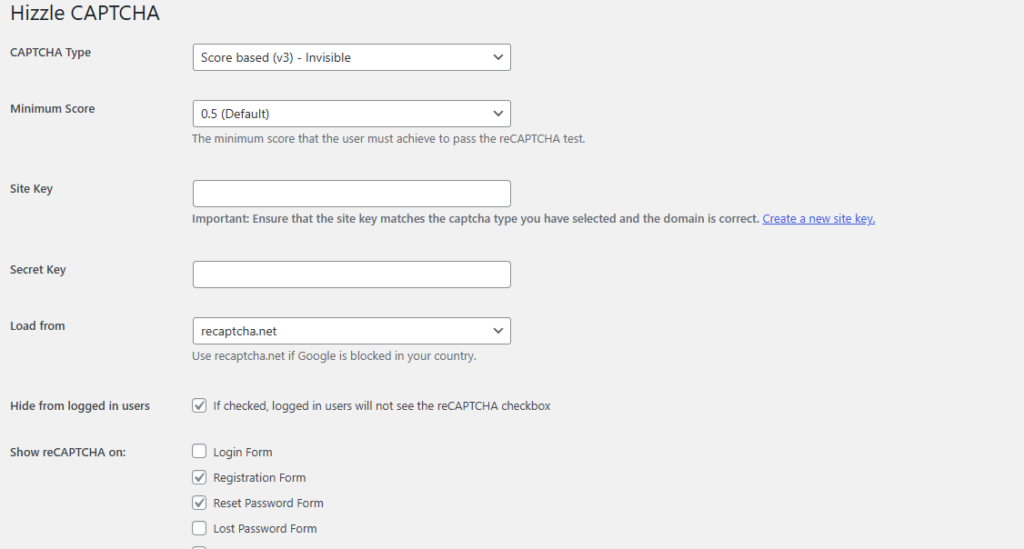
v3 works completely invisibly and assigns every submission a score from 0.0 to 1.0. You decide what score is acceptable.
Pros:
- Truly zero-friction for most real users
- Smart behavioral analysis
- Highest potential for improved conversion rates
Cons:
- Requires tuning (you must test and adjust thresholds)
- Risk of false positives if not calibrated well
Best for:
- High-traffic sites
- Newsletter sign-ups (Noptin), WooCommerce checkout, and login pages
- Sites that want maximum conversions with strong protection
Also available in the Pro version of Hizzle CAPTCHA.
Recommendation Guide: Which One Should You Choose?
- Just starting out or on a budget? → Begin with v2 Checkbox (Free in Hizzle CAPTCHA)
- Want better user experience without complexity? → Use Invisible v2 (Pro)
- Want the best possible balance of UX and protection? → Go with v3 Thresholds (Pro) + proper tuning
- Highest priority on zero friction? → Consider Cloudflare Turnstile (also in Hizzle Pro) as it often outperforms v3 with less tuning needed
Pro Tip: Many successful sites use a hybrid approach, v3, or Turnstile as a default.
Final Thoughts
There’s no one perfect CAPTCHA for every site. The best choice depends on your traffic volume, form importance, and how much you value smooth user experience versus absolute certainty.
Hizzle CAPTCHA gives you all three options (plus Cloudflare Turnstile) in one plugin, so you can start simple with the free v2 checkbox and upgrade to invisible or score-based protection as your site grows.
The goal is simple: strong spam protection that doesn’t hurt your conversions or annoy your visitors.
Which reCAPTCHA version are you currently using? Have you tried tuning v3 thresholds or switching to invisible options? Share your results in the comments!
Leave a Reply